Steam, Hot Air and Natural Air: Choosing a Cap Care Cycle
Product education
Different operating modes serve different stages of headwear care. Buyers and retail teams should explain each mode accurately and keep material limitations visible.
The four YN-S802A modes
Auto
Runs the standard combined steam and drying sequence for approximately 30 minutes.
Steam
Applies steam to help relax creases before or during reshaping.
Hot Air
Provides heated airflow for a controlled drying stage.
Natural Air
Provides unheated airflow for a gentler finishing stage.
How to choose a mode
Begin with the care label and the item construction. Material, coating, printed decoration, adhesive, internal reinforcement and previous damage can all affect suitability. A mode that works for one cap should not be assumed safe for every hat or wig.
When shape is the priority
Steam may help relax some creases while the internal support form holds the crown profile. Use conservative settings for unfamiliar materials.
When moisture remains
Hot air can support drying, but heat-sensitive or decorated items require extra caution and may be better suited to a gentler method.
When a gentler finish is needed
Natural air provides airflow without the heated drying stage. It does not remove the need to monitor the item and follow its care instructions.
Basic operating sequence
- Place the machine on a stable work surface.
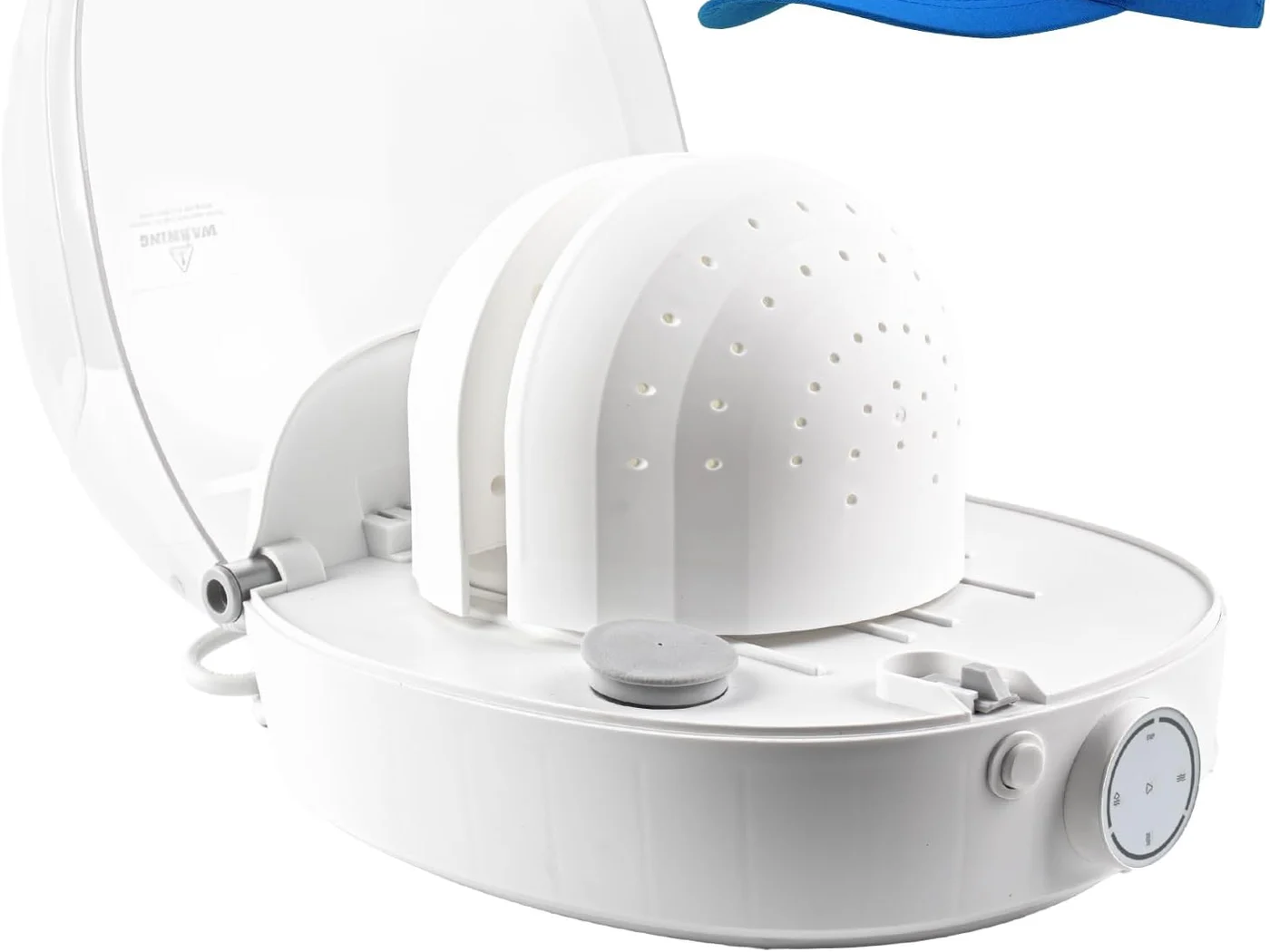
- Add suitable water without exceeding the 250 ml maximum tank capacity.
- Check that the item is compatible and position it on the support form.
- Close the cover and select the appropriate mode.
- Monitor the unit and allow surfaces to cool after operation.
- Empty remaining water after use according to the manual.
Important care boundaries
The machine supports steam care, reshaping, refreshing and drying. It is not positioned as a washing machine, and stain treatment remains a separate process. Do not assume compatibility for rigid, oversized, heavily decorated, coated or heat-sensitive items without review.
For the complete model overview, see the YN-S802A product page. Commercial teams can also review the buyer FAQ and available compliance documentation.
Guidance for distributors and retailers
- Use the same mode names in listings, manuals and sales training.
- Do not convert a care function into an unsupported cleaning claim.
- Show the water limit and standard cycle information clearly.
- Explain that results vary by material and construction.
- Ask buyers to retain and follow the supplied product manual.
For wholesale, private-label or market-configuration questions, contact the CapCare sales team.